Field Masking Processor
The Field Masking Processor enables the masking of specific sections within text fields using regex patterns. This processor is ideal for safeguarding sensitive data, including credit card details, social security numbers, and more. Additionally, sensitive information can also be dropped altogether using various processors available in Logs Pipelines. Check out Handle Sensitive Data for additional information.
Field Masking Processor provides a bunch of predefined patterns you may use for your purposes, readily accessible within the tooltip while inputting the regex pattern. Autocompletion makes it easy to navigate through and select them.
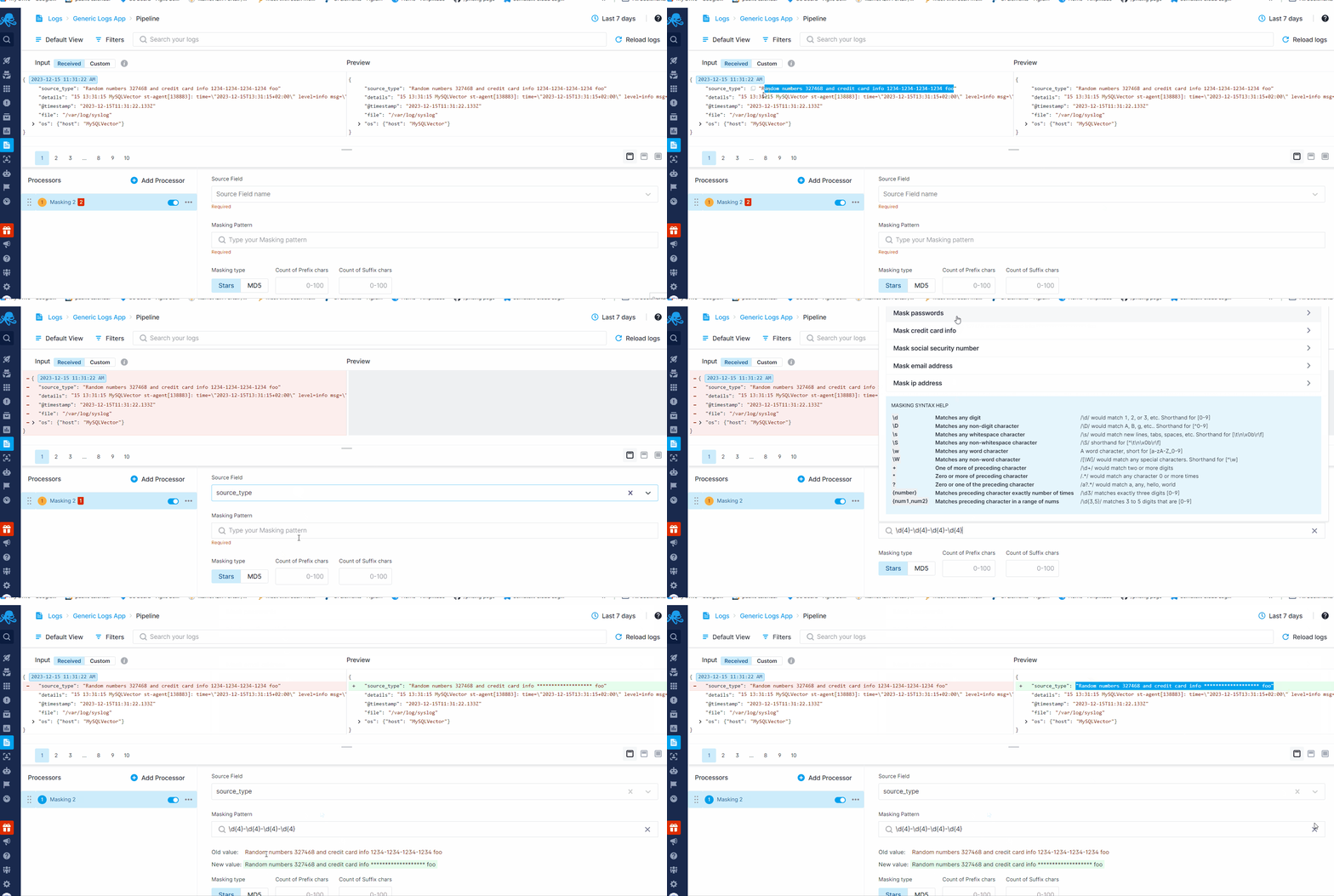
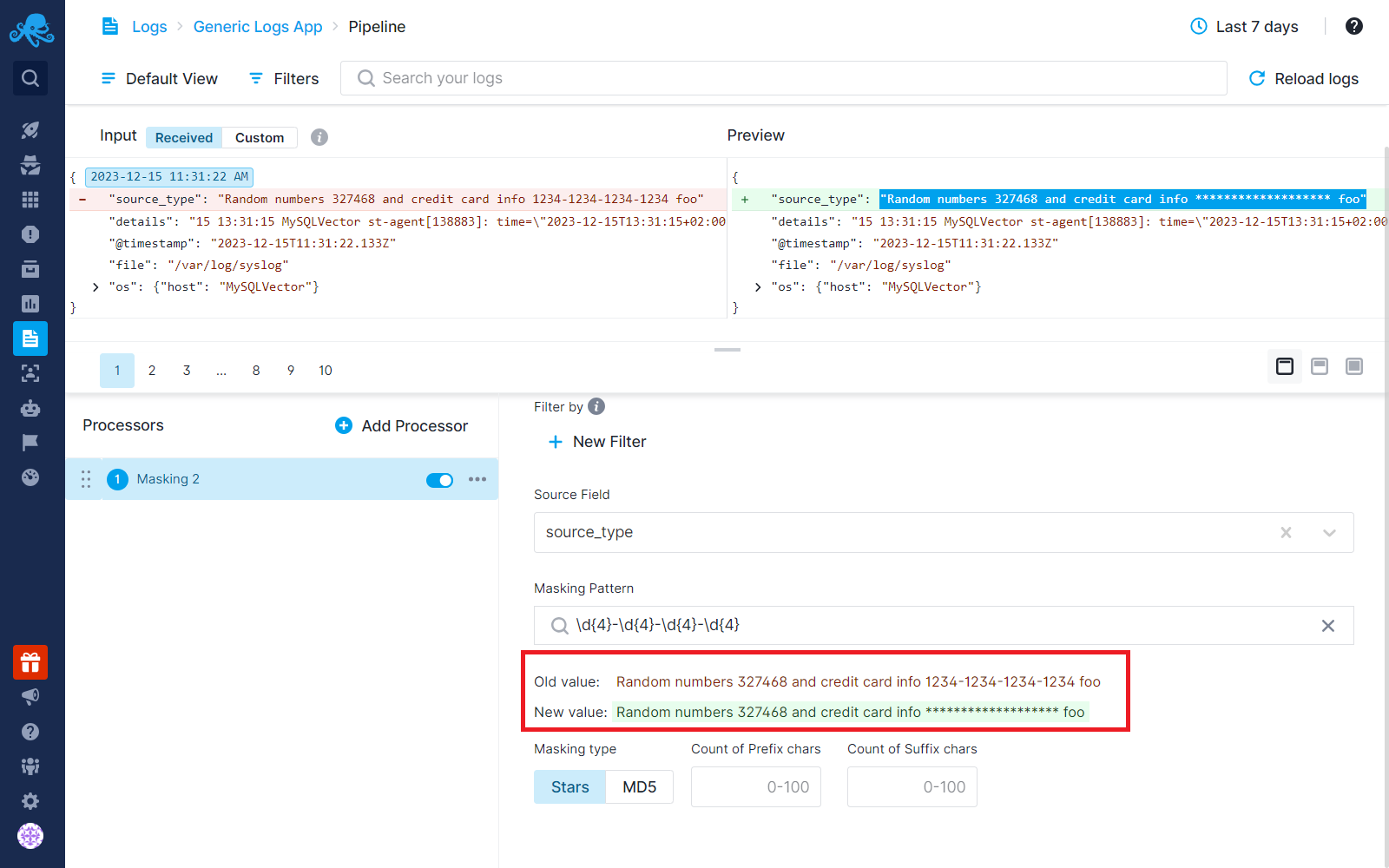
Upon selecting the source field and entering the regex pattern, note that we promptly showcase both the original and the new value of the field just below the pattern box. This immediate display allows you to effortlessly track the results of the regex pattern as you type.
Pattern Syntax
Masking patterns use RE2 syntax. RE2 guarantees that every pattern runs in linear time, so a masking pattern can never slow down or stall log ingestion.
Common regex features work as expected: literals, character classes, quantifiers (*, +, ?, {n,m}), alternation, anchors (^, $, \A, \z, \b), capturing and non-capturing groups, named groups (?<name>...), inline flags (?i), (?m), (?s), and Unicode classes such as \p{L} or \p{Greek}.
The following Perl and Java extensions are not part of RE2 and do not compile:
- Lookahead and lookbehind:
(?=...),(?!...),(?<=...),(?<!...) - Backreferences:
\1…\9,\k<name> - Possessive quantifiers and atomic groups:
a*+,a++,(?>...) - Character class union and intersection:
[a[bc]],[a-z&&[^b]] - Java-specific escapes, flags, and classes:
\Z,\G,\h,\H,\V,\R,(?x),(?d),(?u),\p{Alpha},\p{javaLowerCase}
A pattern that does not compile is shown as an error in the pipeline builder preview. During ingestion such a processor is skipped: log events keep flowing through the rest of the pipeline, but without this masking applied, until the pattern is fixed.
The entire match is masked, not a capture group. To keep part of the matched text visible, use the prefix or suffix masking options. Patterns that use lookaround can usually be rewritten as a more specific direct match — for example, instead of (?<=password=)[^ ]*, match password=([^ ]*) and keep the password= prefix visible with the prefix option.