Using Sematext API
Because Sematext exposes an API compatible with Elasticsearch and OpenSearch, any of the numerous log shippers or log libraries that have Elasticsearch outputs (or "adapters") can be used to ship logs to a Generic Logs App.
Note the recommended way of shipping logs to Sematext us using log discovery screen, which lets you set up log shipping without installing any additional agents.
If you have to ship logs yourself, or you want to send them directly from your application using a logging library, you can do that, too.
You can:
- send log events to the Sematext's Elasticsearch/OpenSearch bulk index API from your application, using any Elasticsearch library that can ship logs to an Open Source version of Elasticsearch.
- send log events by using existing application such as the Open Source versions of Logstash or Filebeat, Logagent, Fluentbit, Vector, Fluentd Elasticsearch plugin, or anything that can output to OpenSearch. You can also implement your own "log shipper".
- search for logs from your own application
When you use the API, here are the things you need to know:
- host name: logsene-receiver.sematext.com / logsene-receiver.eu.sematext.com (only if using Sematext Cloud Europe)
- port: 80 or 443 (depending on whether you want to use plain HTTP or HTTPS)** **
-
index name: Your Logs App token can be found on the Custom Integrations page, which you can access from the left navigation menu by clicking Ship Logs → Install Agent and selecting Custom Integrations.
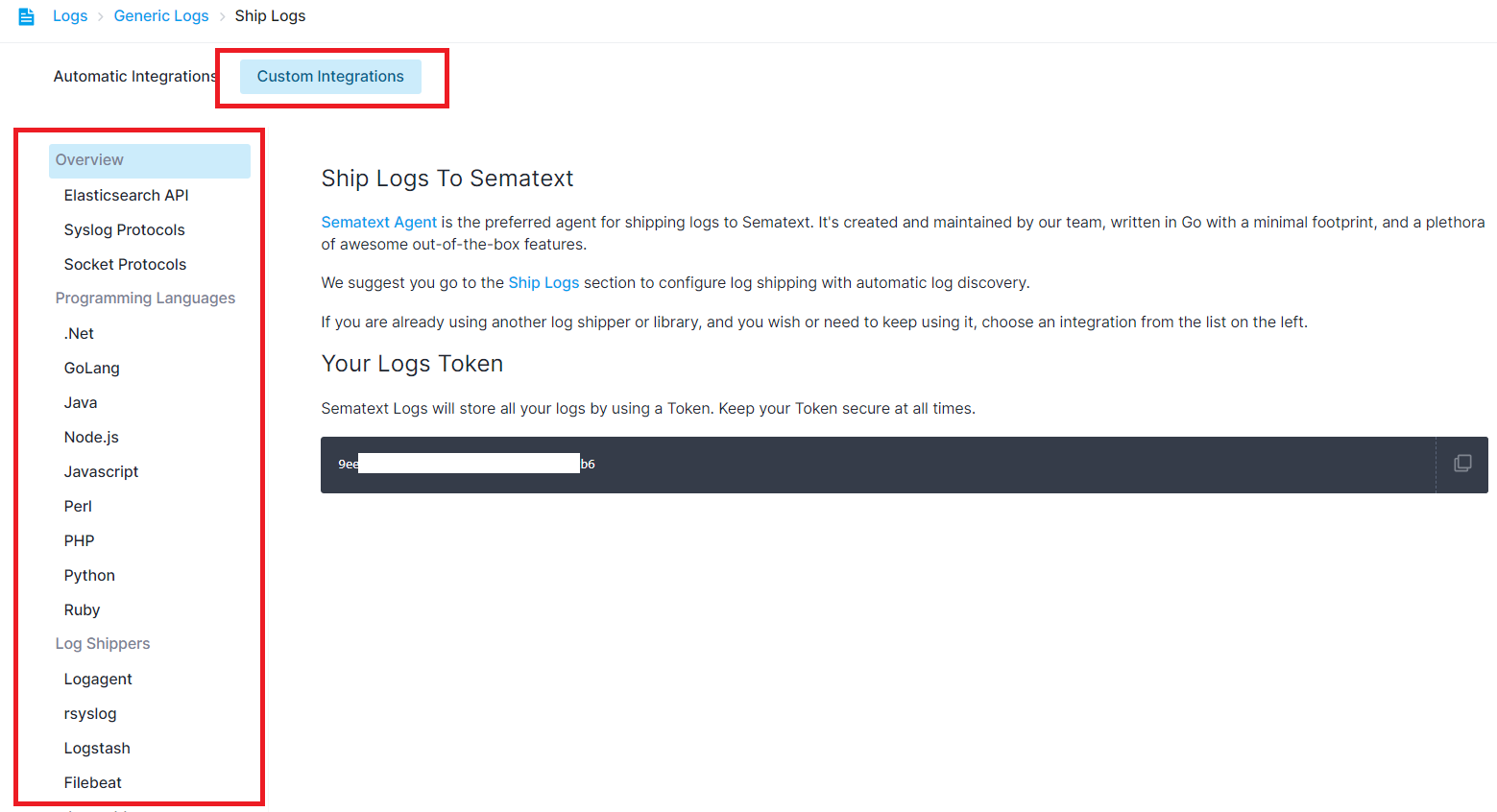
Note: this token should be kept secret (n.b. you can have N Logs Apps, each with its own token)
Indexing
With the same REST API, you can index logs directly from your own application, or you can craft your own "log sender".
Besides specifying your Logs App token as the index name, it's nice to have a field named "@timestamp". Its value should be a valid ISO 8601 timestamp. If you don't provide a timestamp, Sematext will add one when it receives your logs.
For example, you can send a log like this:
NOW=`date "+%Y-%m-%dT%H:%M:%S%z"`
curl -XPOST https://logsene-receiver.sematext.com/$YOUR_TOKEN_HERE/_doc/ -d '
{
  "@timestamp": "'$NOW'",
  "message": "Hello World!"
}'
This will index a simple "hello world" message to Logs App. That event would have the current timestamp and will be indexed in the App whose token is specified.
Typically, you'd put events with different structures in different Apps. For example, syslog messages in one App, Apache logs in another App, etc. See this FAQ entry.
For performance reasons we highly recommend using the Bulk API, because it allows you to send multiple events with a single request. For example, the following request sends three events:
NOW=`date "+%Y-%m-%dT%H:%M:%S%z"`

echo '{ "index" : { "_index": "LOGS_APP_TOKEN_GOES_HERE" } }
{ "@timestamp": "'$NOW'", "severity_numeric" : 1 }
{ "index" : { "_index": "LOGS_APP_TOKEN_GOES_HERE" } }
{ "@timestamp": "'$NOW'", "message" : "hello again" }
{ "index" : { "_index": "LOGS_APP_TOKEN_GOES_HERE" } }
{ "@timestamp": "'$NOW'", "alternate_message": "fields can be added and removed at will" }' > req

curl -XPOST https://logsene-receiver.sematext.com/_bulk --data-binary @req; echo
Default Log Index Mapping
A mapping is a way to define how your logs are indexed - which fields are in each log event and how each field is indexed. Each Logs App comes with a default mappings definition which includes pre-defined fields. In addition to that Sematext automatically creates the mapping in each Logs App when you first ship your logs. Each App can have its own mapping and it can be changed at any time from within Sematext using the field editor. There are some special fields though.
- the @timestamp field is an ISO 8601 date. See Supported Date Formats.
- the geoip field is an object that contains a location geo point field (this works well if you're using Logstash)
- host, facility, severity, syslog-tag, source, and tags are Special Fields that are not analyzed, which enables only exact matches (you can still use wildcards, for example to search for web-server* and get web-server01)
- all string fields are analyzed by whitespace and lowercased by default, thus making it possible to search for message:hello and match events with Hello World in the message field
Multiple Log Structures
If you have multiple types of logs, each with their own very different log structures, and if you do not need to be able to access them as a single stream of logs for troubleshooting, dashboarding, or alerting, we recommend you create a separate Log App for each.
For example, you may have web server logs, your system logs in /var/log/messages, and your custom application logs. Each of these 3 types of logs has a different structure.
The web server logs probably use Apache Common Log format, the logs in /var/log/messages might have the syslog structure, while your own application's logs can be in any format your application happens to use.
To handle all 3 log formats elegantly simply create 3 separate Logs Apps for them.
If you do need to access them as a single stream of logs for troubleshooting, dashboarding, or alerting you can still send them all to the same Logs App.