Alert Rules
An alert rule watches for events of a specific type and, when its conditions match, tags the event with a priority and notifies you if you've asked it to. This is how AI Agent Watch turns a stream of raw events into "this is worth your attention."
How a rule is built
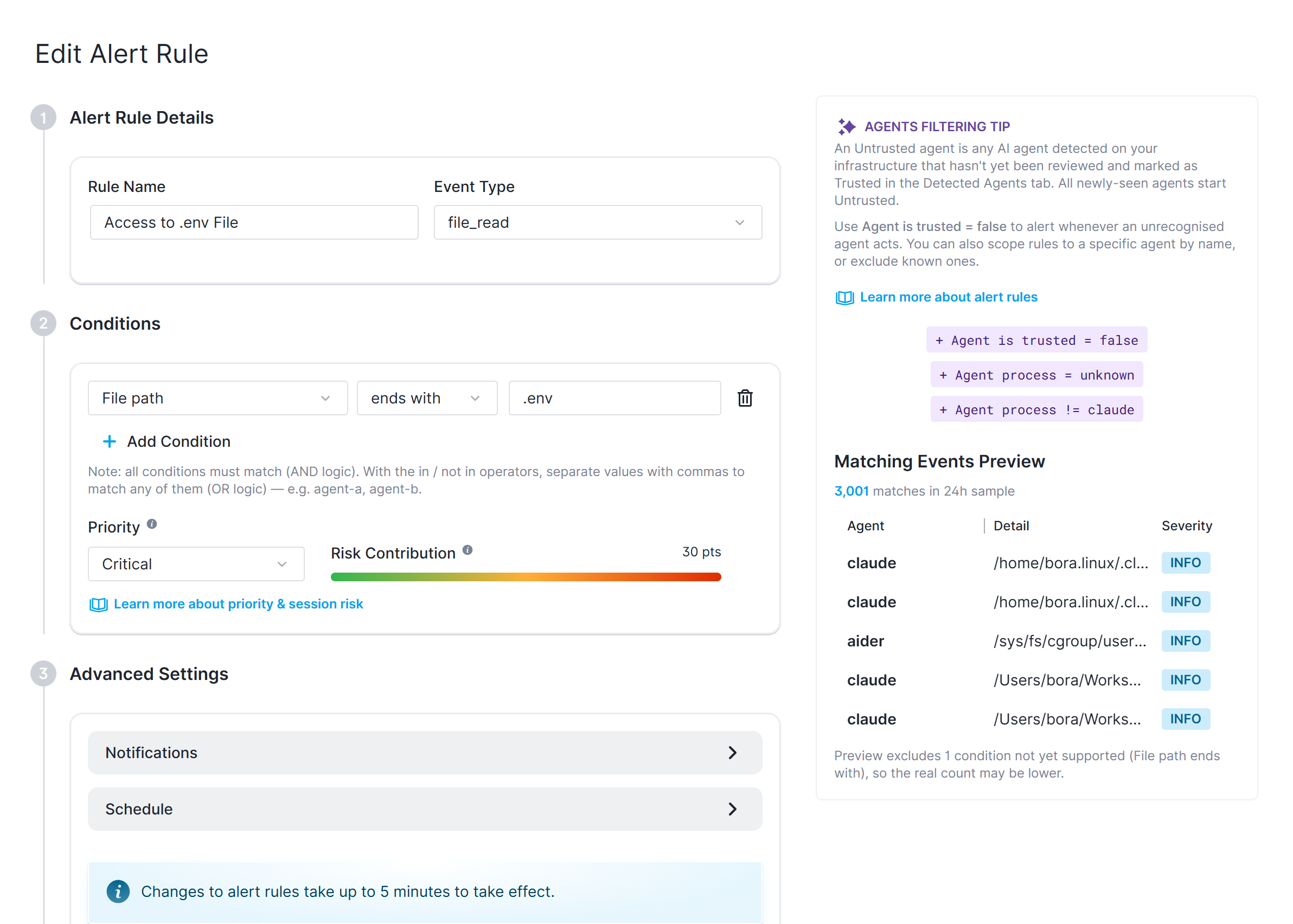
Each rule has:
- A name
- A single event type it applies to (for example
pii_detection,tool_executed,net_connect_started) - see Captured Events for the full list - One or more conditions, all of which must match (AND logic) for the rule to match an event
- A priority - Info, Medium, High, or Critical - applied to any event the rule matches
- A disabled rule is skipped entirely: it's never evaluated against incoming events, so it won't assign a priority or risk score to anything
A condition compares one field of the event against a value, using an operator: =, !=, in, contains, starts with, ends with, >, >=, <, <=. in and contains accept a comma-separated list of values, matching if any one of them applies. The available fields and valid operators depend on the event type the rule is scoped to.
How matching works
An event can match more than one rule. When that happens, the highest-priority match wins - that's the priority and risk score recorded on the event - but every rule that matched is recorded, so you can still see all of them. An event that matches no rule is left at Info priority with no risk score. See Risk Scores & Priorities for how this feeds into scoring.
Notifications
A rule only sends a notification if it's enabled, has notifications turned on, and has at least one recipient (email addresses and/or a notification hook) configured. Notifications can be restricted to a schedule (specific days/time windows) and are throttled so a rule that keeps matching doesn't send a new alert every time - see Alert Notification Hooks for the supported delivery channels.
Default rules
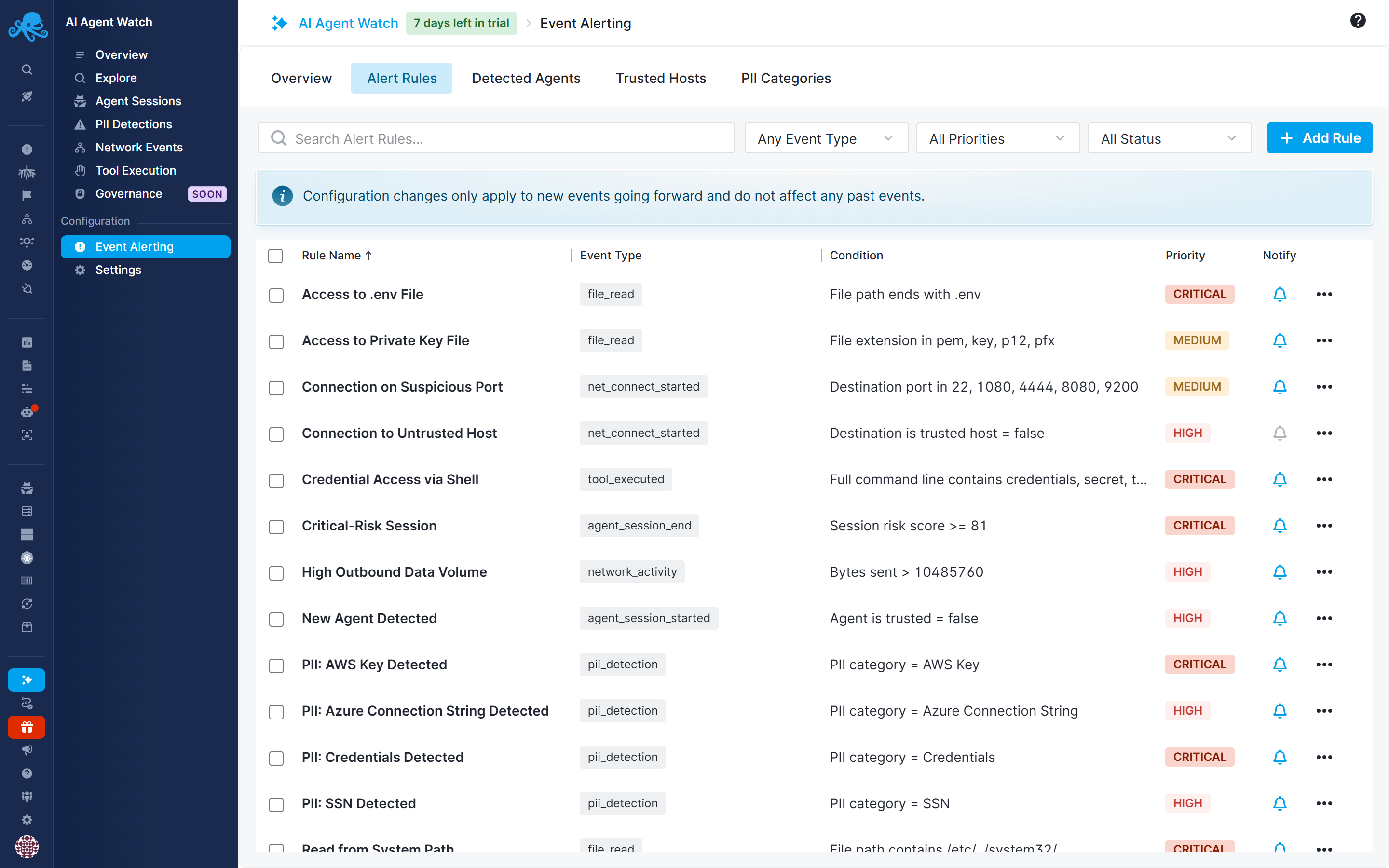
Enabling AI Agent Watch seeds your account with a set of default rules covering common risk patterns, including:
- New, untrusted agent detected (To be notified the moment an unrecognized agent shows up)
- Connection to an untrusted host (disabled by default)
- Connection to a suspicious port (for example 22, 1080, 4444, 8080, 9200)
- High outbound data volume in a session
- File writes/reads under sensitive system paths
- Access to
.envfiles or private-key files - PII detected for the most sensitive default categories (Credentials, AWS Key, SSN)
- Shell command execution, and credential-looking strings passed on a command line
- A session's overall risk score crossing a critical threshold
Governance events
Alert rules can match exec_denied, file_access_denied, and net_denied events emitted when a governance policy blocks an operation. Governance policies enforce restrictions on the host; alert rules assign event priorities and send notifications. Disabling notifications does not disable enforcement. See Governance Policies for configuration.