Overview
AI agents - coding assistants, autonomous scripts, agentic workflows - increasingly run directly on your infrastructure with real permissions: they execute shell commands, read and write files, and talk to external services on your behalf. AI Agent Watch gives you visibility into what those agents are actually doing on a host, so you can catch risky behavior - credential access, connections to unexpected destinations, PII leaving your systems - before it becomes an incident. With Governance, you can also block tool executions, file access, and network activity that match your policies.
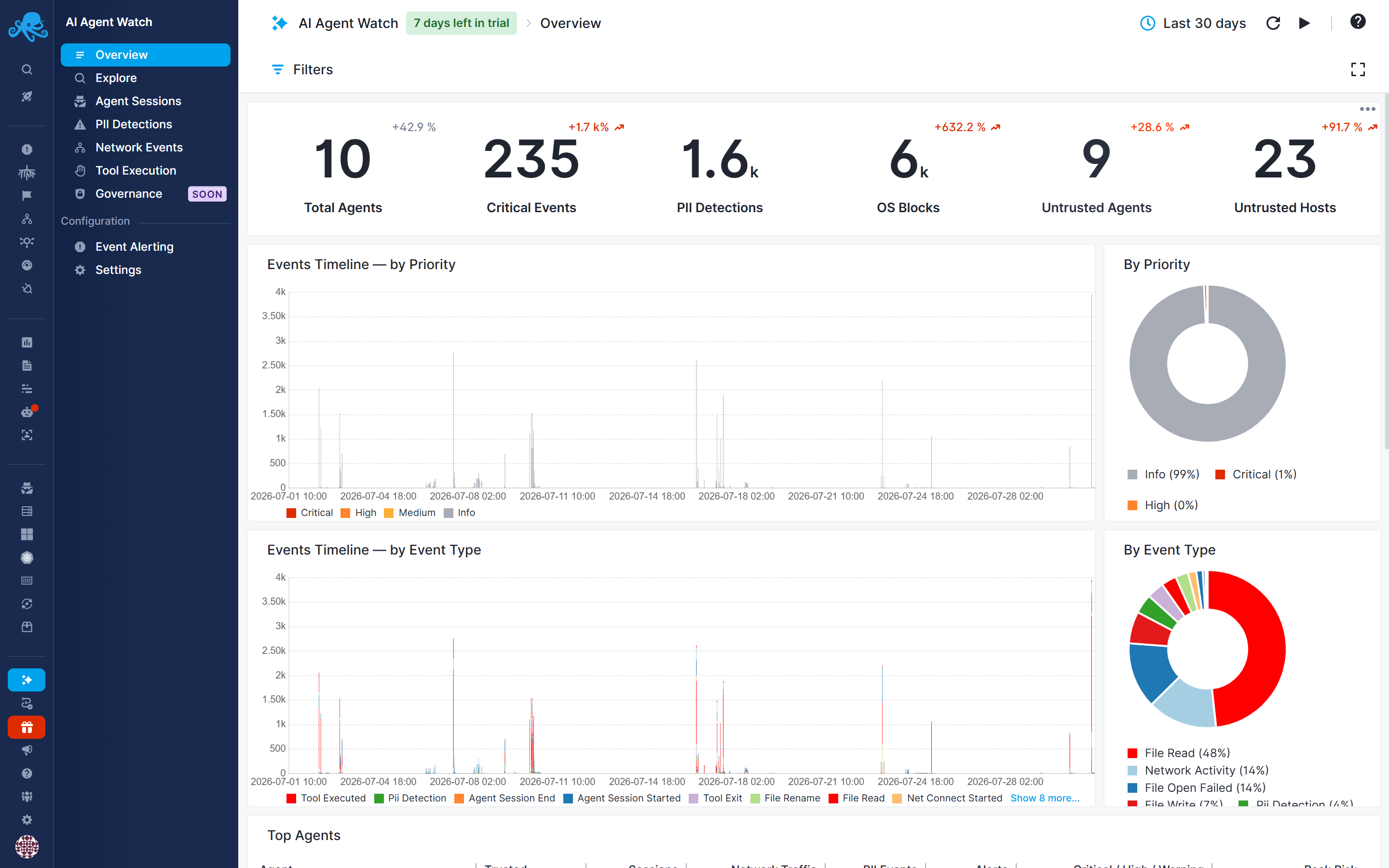
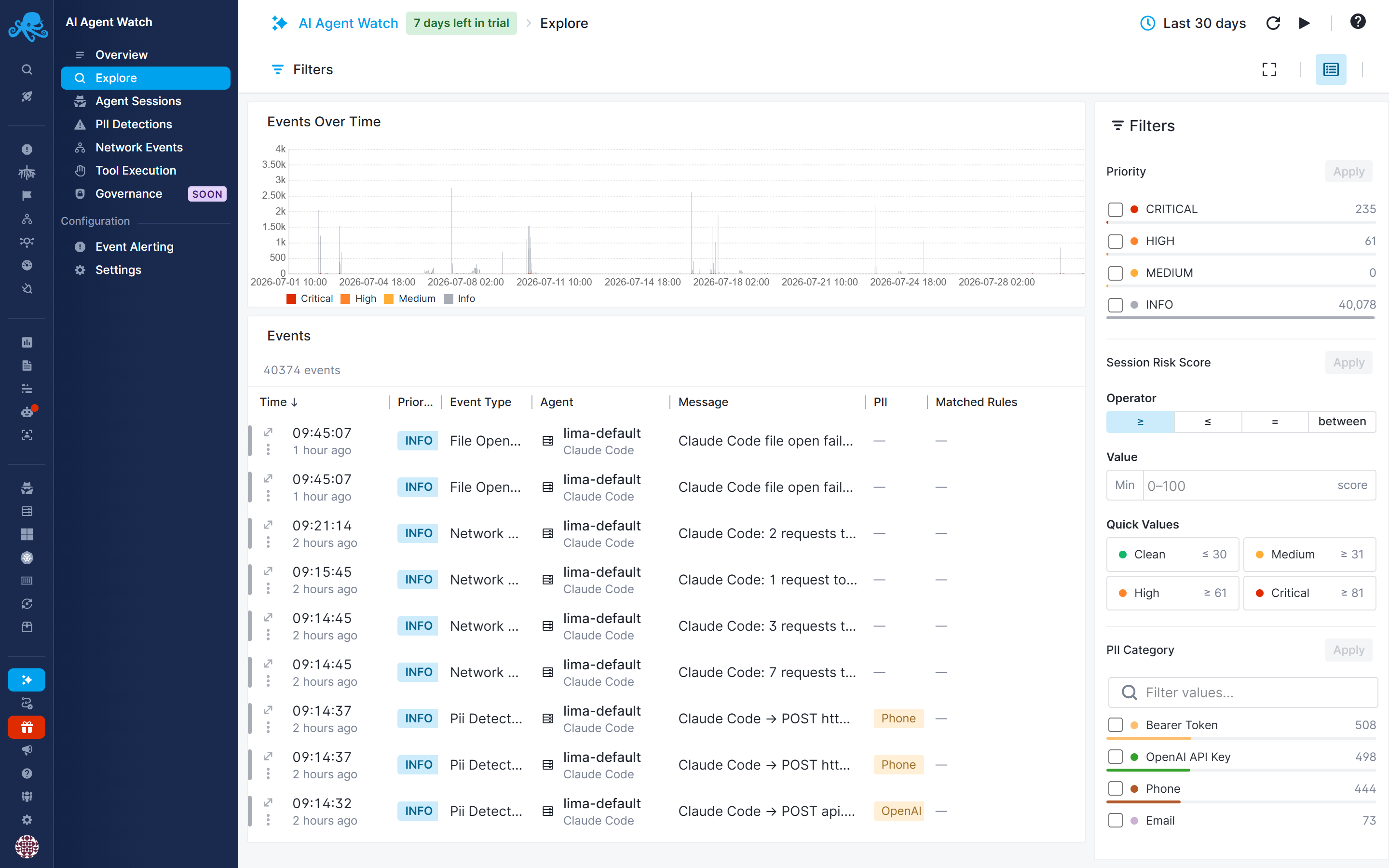
AI Agent Watch runs alongside your AI agent processes and reports on their activity: when a session starts and ends, which tools/commands it executes, which files it reads, writes, or renames, which hosts it connects to, and whether any outbound data matches a PII pattern you care about. On compatible hosts, Sematext Agent also enforces enabled governance policies and reports blocked operations as events. Each event is automatically compared against your alert rules, given a priority and a risk score, and rolled up into an overall risk score for the session.
Why use it
- See what your agents actually do. Session start/end, shell/tool executions, file reads and writes, outbound connections - all captured as structured events.
- Control what your agents can do. Governance policies block matching commands, access to sensitive files, and network activity. Scope policies to specific hosts, workloads, agent types, or untrusted agents. Default policies are disabled until you enable them.
- Know when something looks wrong. Alert rules match on event fields - event type, trusted/untrusted status, destination, PII category, and more.
- Catch sensitive data leaving your systems. PII categories scan outbound payloads for things like credentials, API keys, and personal data, and flag matches as their own event type.
- Separate agents and destinations you trust from ones you don't. Trusted agents and hosts let you tune alerting so a known, expected agent or destination doesn't trigger the same scrutiny as a brand-new one.
- Get a single number for "how risky was this session." Every event carries an event risk score, and at the end of a session those scores are combined into a session risk score you can alert on directly.
How it works
- Sematext Agent running on the same host as your AI agent observes its process activity and sends events to Sematext Cloud.
- On compatible hosts, enabled governance policies are enforced locally. Sematext Agent blocks matching operations and sends governance events to Sematext Cloud.
- The event is evaluated against your account's alert rules. If one or more rules match, the event gets tagged with a priority (Info, Medium, High, or Critical) and a risk score; if a matching rule has notifications enabled, an alert is sent.
- When the session ends, we combine the risk scores of everything that happened during the session into a single session risk score.
- You review activity, sessions, and alerts in the AI Agent Watch.
Setting it up
AI Agent Watch can be enabled per Infra App. See Getting Started for enabling it on an App and connecting your first host.
No AI Agents Detected Yet
If you don't see any data right away after enabling AI Agent Watch, that's expected - Sematext Agent continuously discovers AI agents running on your infrastructure, but if none are installed on the monitored hosts yet, there's simply nothing yet to report.
Leaving AI Agent Watch enabled is still valuable in the meantime: it gives you continuous visibility into your environment and immediate awareness when new AI agents are introduced, whether intentionally or without authorization. Early detection helps identify potentially malicious, misconfigured, or high-risk AI agents before they become a security or compliance concern.
For the best coverage and strongest security posture, deploy Sematext Agent on as many hosts as possible. The broader your deployment, the greater the likelihood of discovering AI agents wherever they appear across your infrastructure.
Governance
Governance lets you block tool executions, file access, and network activity that match your policies. Review enforcement activity in the Governance report and configure alert rules for notifications. See Governance Compatibility for host requirements.
Coming soon
LLM Cost Tracking is currently in development and will surface per-agent and per-session LLM spend. See LLM Cost Tracking for details.
In this section
- Getting Started - enabling AI Agent Watch and connecting a host
- Reports - the built-in reports and how filtering works across them
- Captured Events - the event types AI Agent Watch records and what each one contains
- Governance - enforcement policies, reports, and notifications
- Governance Policies - conditions, scope, default policies, and notifications
- Governance Compatibility - host compatibility and BPF-LSM configuration
- Trusted Agents & Hosts - marking known agents and destinations as trusted
- PII Categories - detecting sensitive data in outbound traffic
- Alert Rules - defining what counts as risky and getting notified about it
- Risk Scores & Priorities - how event and session risk scores are calculated and used
- LLM Cost Tracking - upcoming LLM Cost Tracking