Getting Started
Enabling AI Agent Watch
AI Agent Watch is enabled on a per-Infra App basis.
If you don't already have an Infra App, create one first. Then open the AI Agent Watch page, click Enable, and select the Infra App(s) for which you want to enable AI Agent Watch.
Once enabled, AI Agent Watch will start collecting AI agent events from all hosts that are already sending infrastructure data to the selected Infra App(s).
If you already have one or more Infra Apps receiving infrastructure data from multiple hosts, no additional installation is required. Simply enable AI Agent Watch for the desired Infra App(s) from the UI, and AI agent events will begin flowing automatically from all connected hosts.
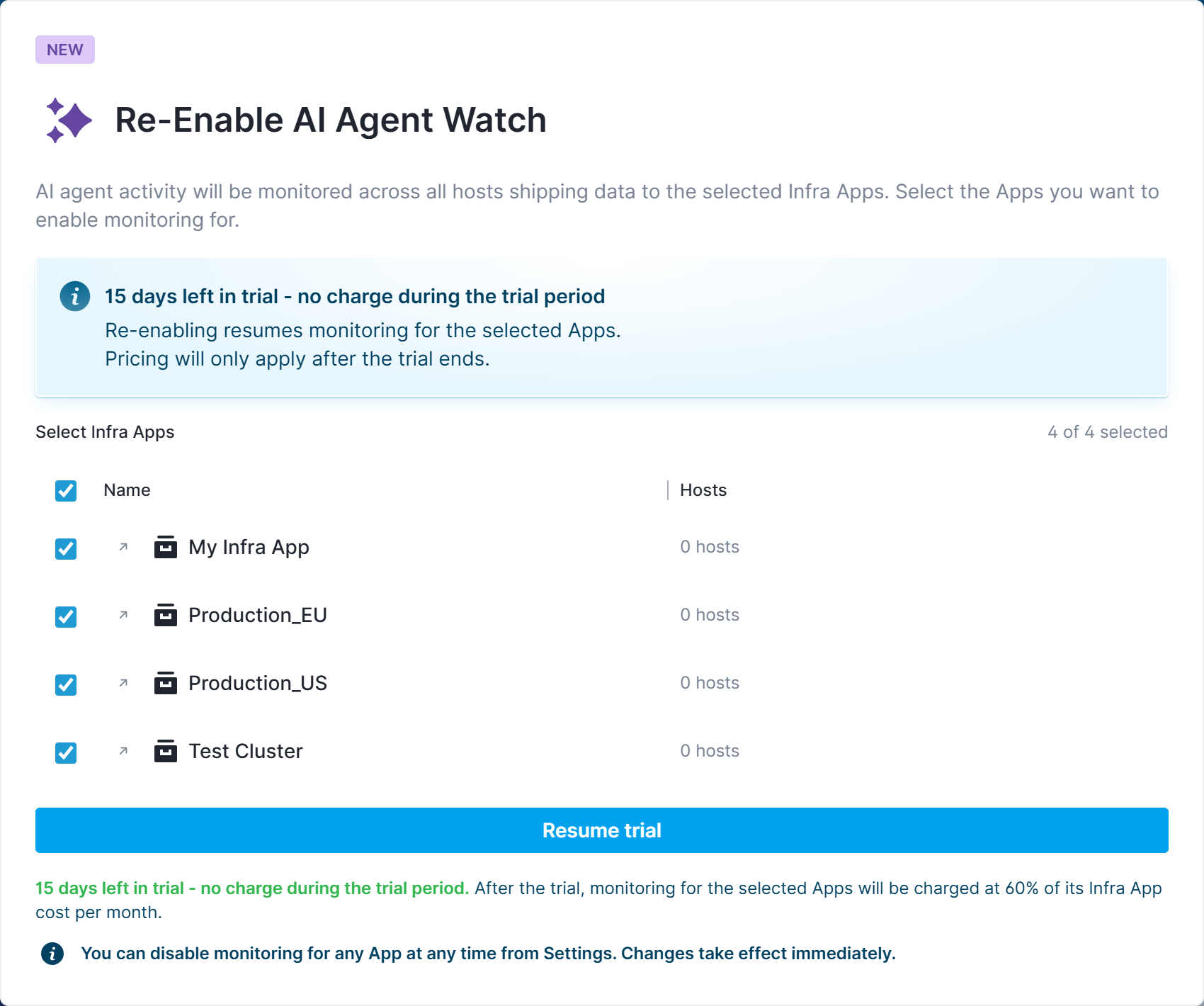
Enabling it also seeds the account with a set of default PII categories and default alert rules, and gives you access to the built-in reports (Overview, Explore, Agent Sessions, PII Detections, Network Events, Tool Execution), so you get useful detections and dashboards out of the box instead of starting from an empty configuration.
Verifying data is flowing
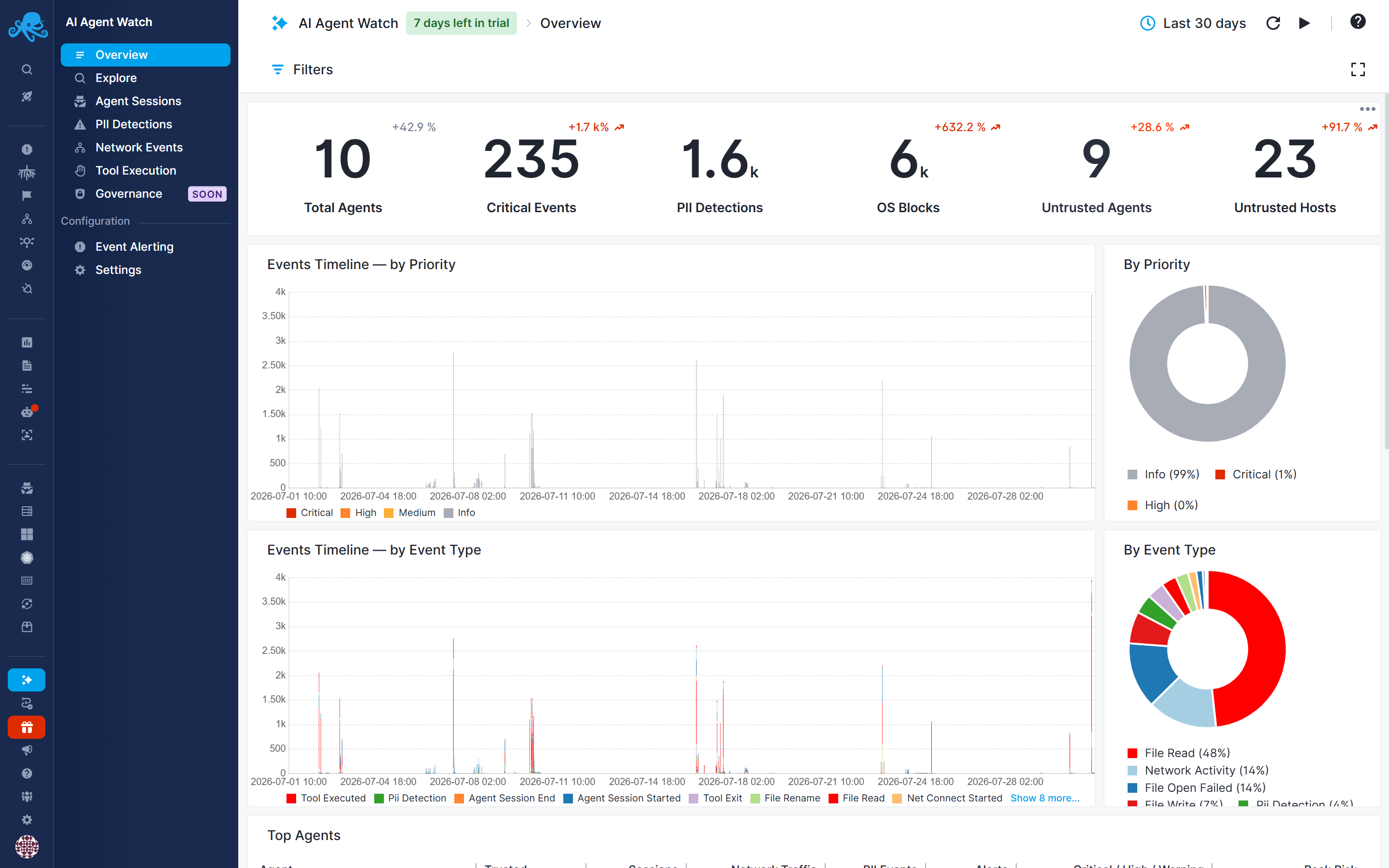
After completing the setup, open the AI Agent Watch Overview screen for the App. You should see captured events - starting with an agent_session_started event - within a few minutes.
No AI Agents Detected Yet
Sematext Agent continuously discovers AI agents running on your infrastructure and automatically begins monitoring their activity. If no AI agents are currently installed on the monitored hosts, no AI agent data will appear.
This is expected—and valuable. Leaving Sematext Agent running provides continuous visibility into your environment and gives you immediate awareness when new AI agents are introduced, whether intentionally or without authorization. Early detection helps identify potentially malicious, misconfigured, or high-risk AI agents before they become a security or compliance concern.
For the best coverage and strongest security posture, deploy Sematext Agent on as many hosts as possible. The broader your deployment, the greater the likelihood of discovering AI agents wherever they appear across your infrastructure.
Next steps
- Review the captured events AI Agent Watch records
- Mark known agents and destinations as trusted to tune alerting
-
Review or customize the default PII categories and alert rules
-
Review the default governance policies or create your own, define their conditions and scope, and enable them on compatible hosts to block the operations you want to restrict.