PII Categories
A PII category is a named group of regex patterns AI Agent Watch matches against outbound data - for example the body or URL of a request an agent sends out. When a match is found, it's recorded as a pii_detection event carrying the category name, the matched payload, the destination, and the HTTP method/URL involved. See Captured Events.
Masking happens on the agent, not after the fact: the moment a match is detected, the sensitive value is one-way encrypted right there on the host. It's never sent over the wire in clear text and never stored in clear text - Sematext Cloud only ever receives and stores the masked, one-way-encrypted value, not the original credential, key, or personal data that matched.
Default categories
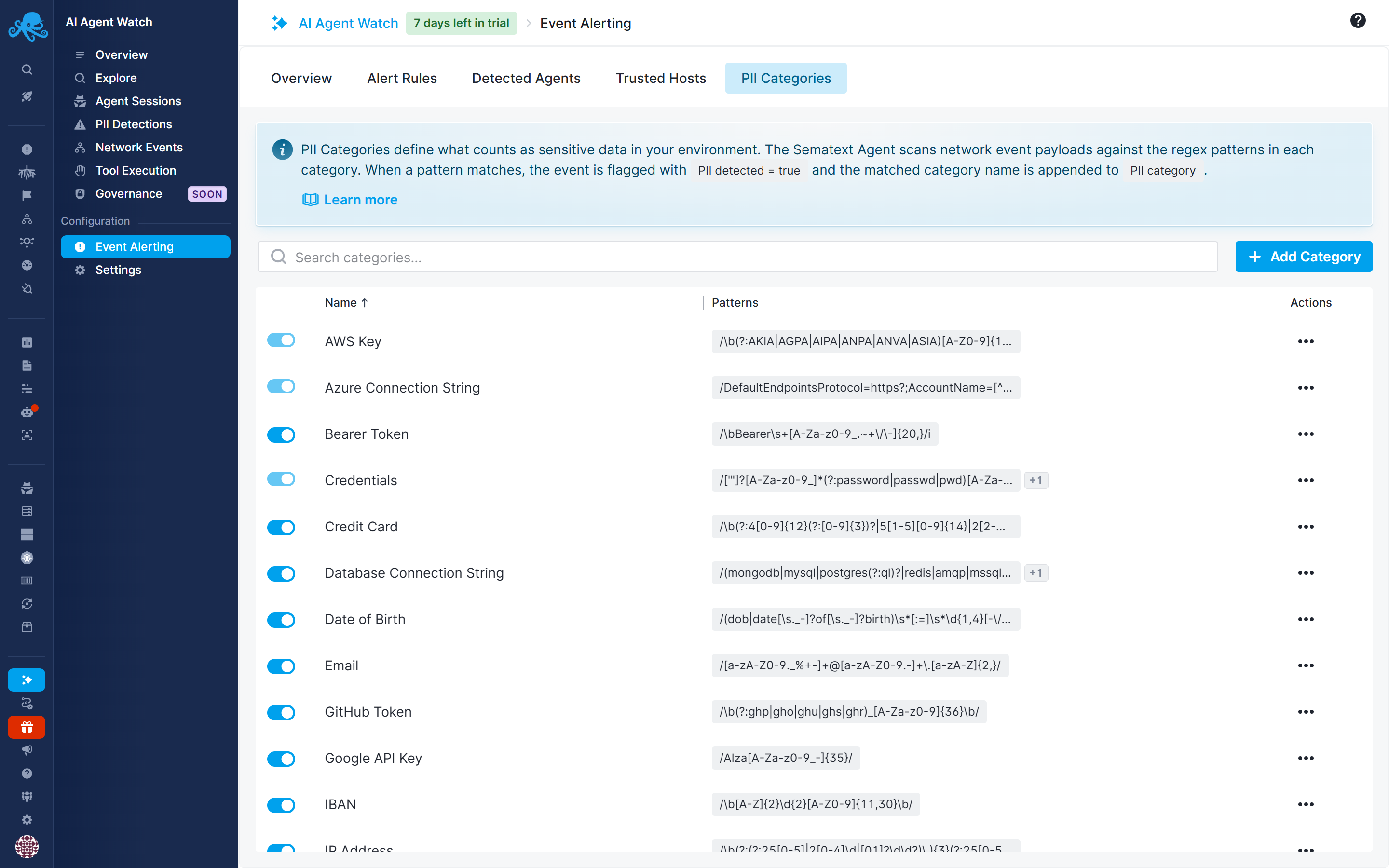
Enabling AI Agent Watch seeds your account with a set of default categories, covering common secrets and personal data:
Credentials, AWS Key, SSN, Credit Card, JWT Token, Passport, Email, Phone, Date of Birth, IP Address, Bearer Token, GitHub Token, OpenAI API Key, Google API Key, Azure Connection String, IBAN, Private Key, and Database Connection String.
You can add a new category or edit/delete any default category.
Creating custom categories
You can test a pattern against a sample input before saving, which shows exactly what would be matched - useful for tightening a pattern that's either too broad (matching things you don't care about) or too narrow (missing real matches).
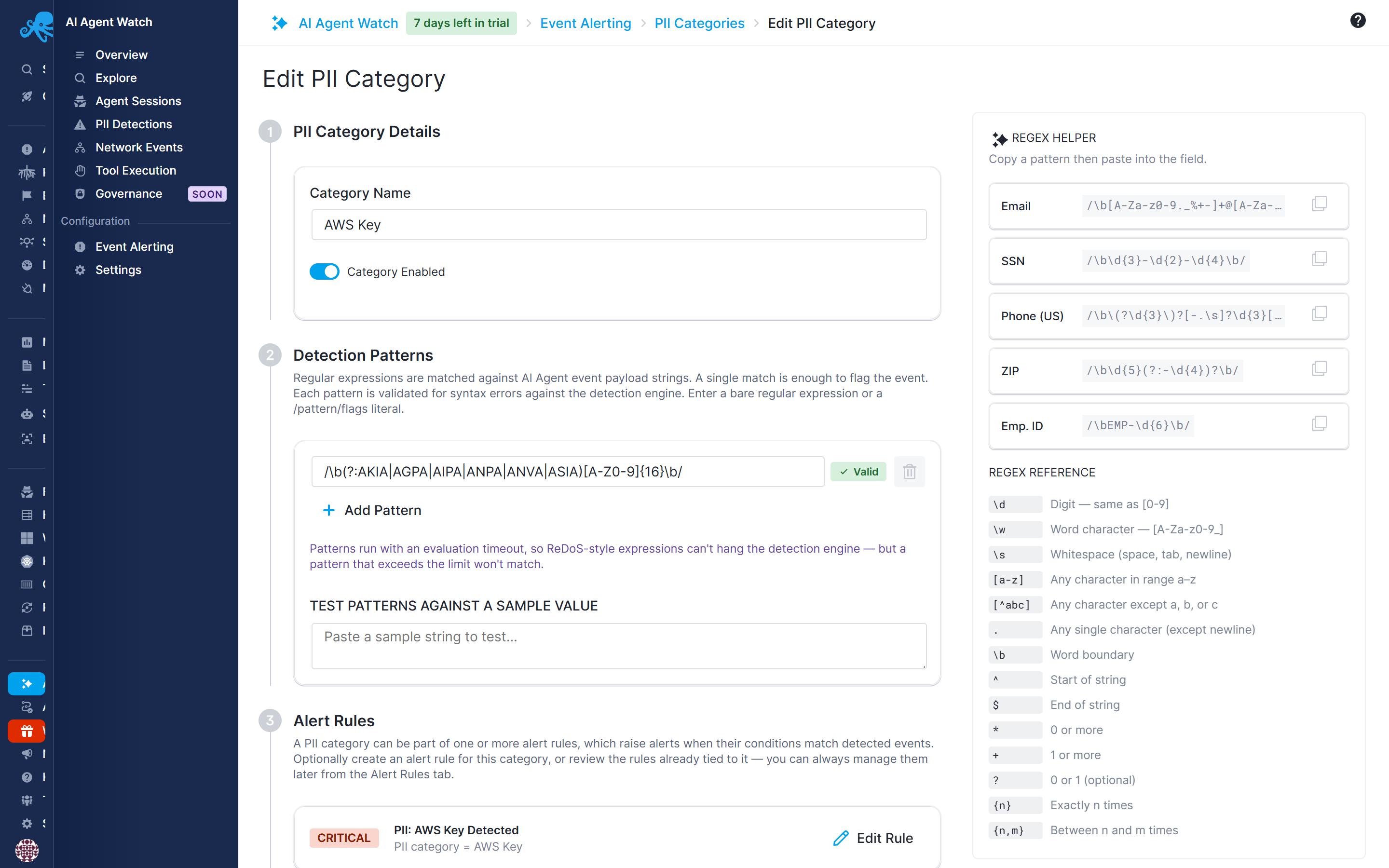
There's a limit of 50 patterns in total per account, across all categories combined, so it's worth consolidating related patterns into one category rather than creating many narrow ones.
Right from the add/edit category screen, you can also create a new alert rule for that category, or jump to editing the one already tied to it, without leaving the page to go find it under Alert Rules.
Using categories in alerts
A category is just a name until you reference it in an alert rule. You have two ways to do this, depending on how much you want to differentiate between categories:
- One rule per category - match
pii_detectionevents where the category equals a specific one (for exampleCredentials) and give each category its own priority. This is what several of the default alert rules already do for the most sensitive default categories (Credentials, AWS Key, SSN), so you can treat a leaked credential as more urgent than, say, a phone number. - One generic rule for all categories - match
pii_detectionevents with no category condition at all, and give it a single priority. This fires on any PII match regardless of which category it belongs to, which is a quicker way to get baseline coverage across all your categories, including ones you add later, without having to maintain a rule per category.
You can also combine both approaches - a generic rule as a catch-all, plus dedicated higher-priority rules for the categories that matter most.