Trusted Agents & Hosts
AI Agent Watch tracks two kinds of trust: which ai agents are running on your hosts, and which destinations they're expected to talk to. Neither affects whether events are collected - trust status is just another field on an event, which you can then use in alert rules and reports to separate expected activity from activity worth a closer look.
Trusted agents
Every distinct AI agent that AI Agent Watch sees - identified by its type, version, host, cluster, and namespace - is added to your account's list of detected agents the first time it's observed. New agents start out untrusted.
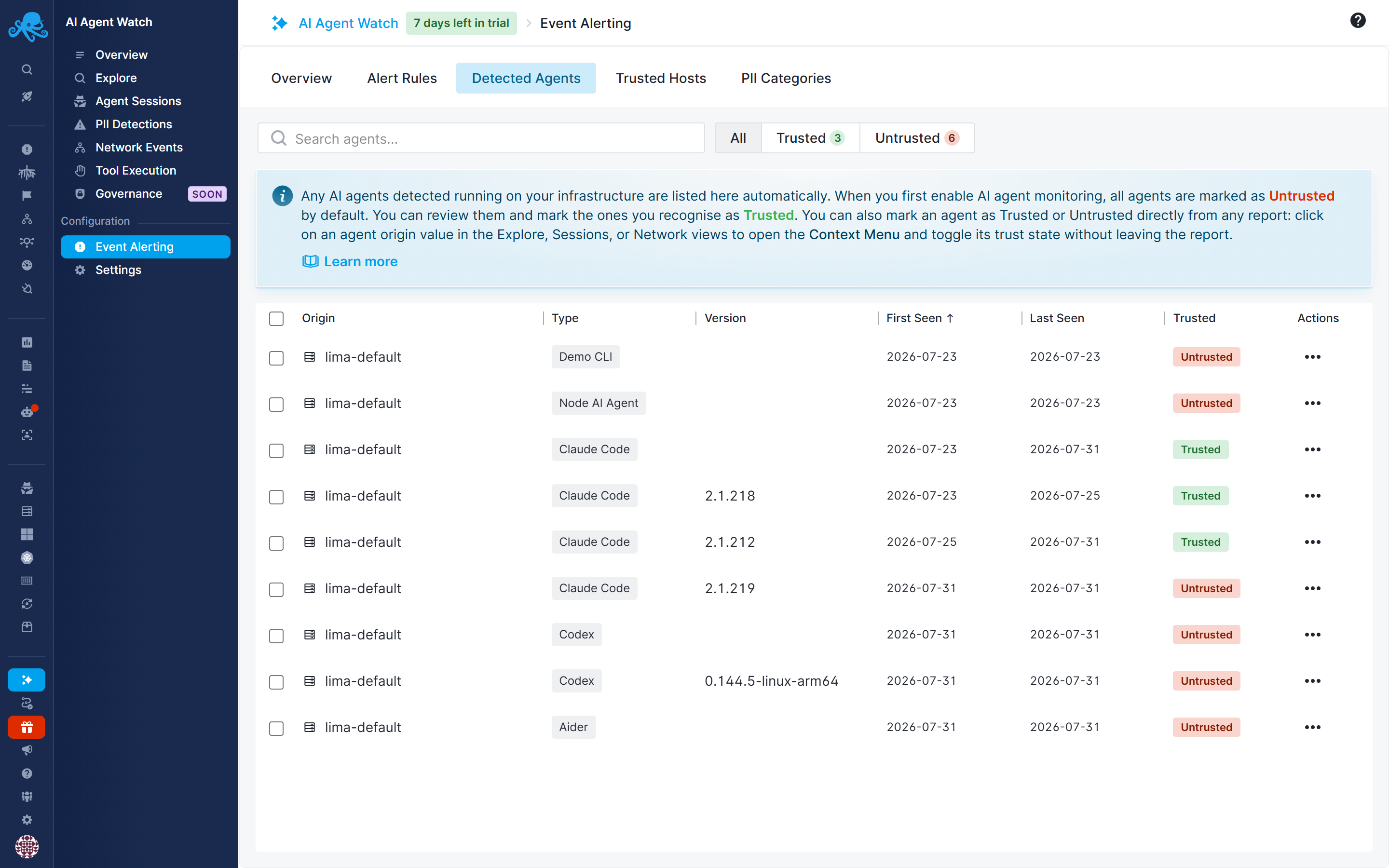
From this list you can mark an agent as trusted, either one at a time or by its identity (so future instances of the same agent type/version on the same host are trusted automatically). Every event produced by that agent is then stamped as coming from a trusted agent.
Use this to distinguish agents you've deliberately deployed and reviewed from ones that show up unexpectedly. A new, untrusted agent appearing on a host is usually worth a look, which is why AI Agent Watch ships with a default alert rule, New Agent Detected, that notifies you the moment an agent_session_started event comes in from an agent that isn't yet marked trusted.
Trusted hosts
A trusted host is an outbound destination - a hostname, IP address, or CIDR block - that you've whitelisted. You manage the list from the AI Agent Watch settings for your App.
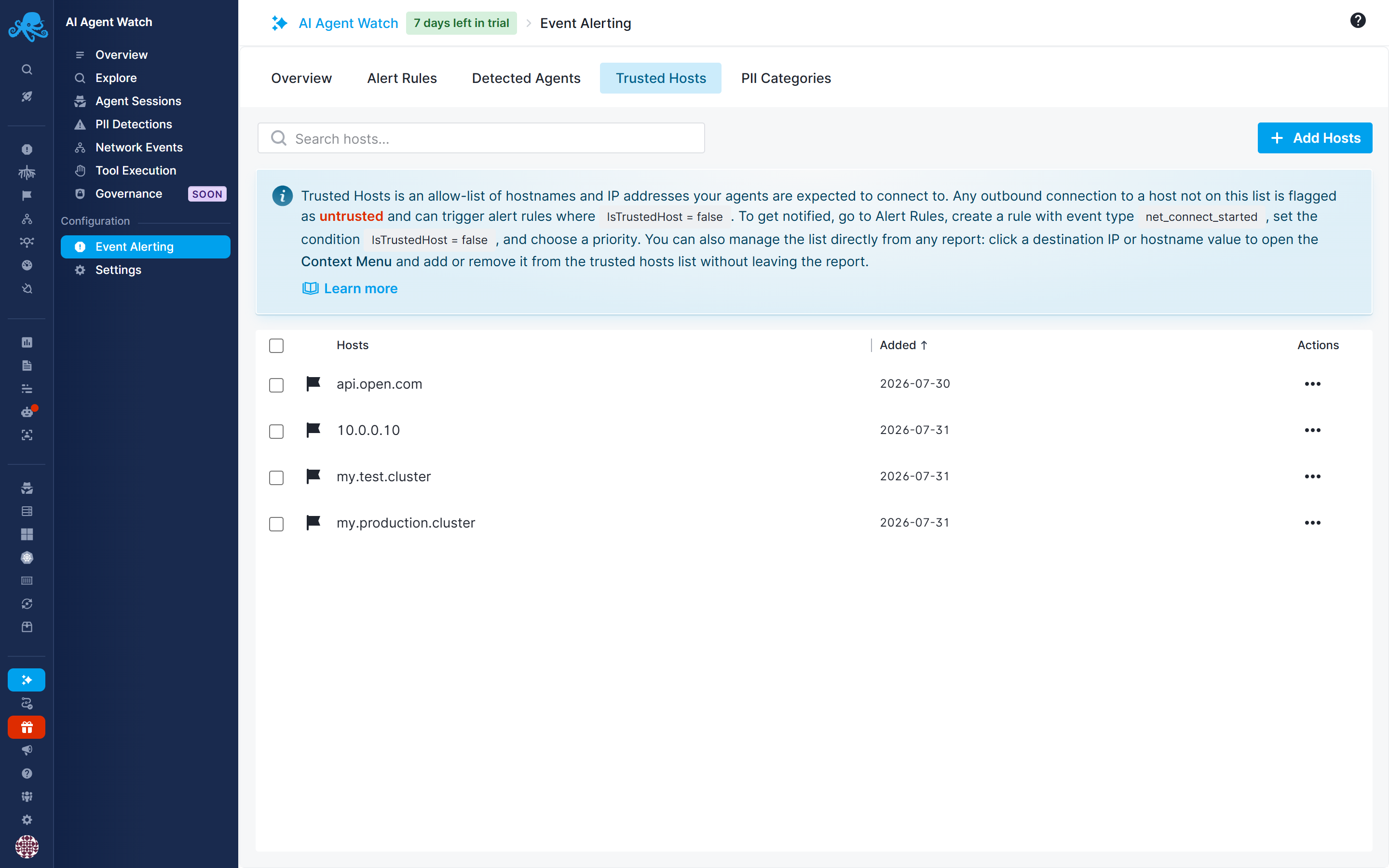
When an agent opens a connection or sends data, AI Agent Watch checks the destination against your trusted host list and stamps the resulting event accordingly. Connections and traffic to destinations not on the list are treated as untrusted, which is what the default "Connection to Untrusted Host" alert rule keys off of.
Notifications for that rule are disabled by default. Your trusted host list starts out empty, so until you've populated it, every legitimate destination your agents talk to would also show up as "untrusted" - enabling notifications right away would just bury you in noise. Build out your trusted host list first, then turn notifications on for this rule once it will only fire for destinations you actually haven't approved.
How trust is used
Trust status doesn't change anything automatically on its own - it's exposed as an isTrustedAgent field (and isTrustedHost for destinations) that becomes available as a condition on any alert rule, for any event type. The default "New Agent Detected" rule is just one example of a rule built on isTrustedAgent = false; you can build your own the same way.
For example:
- Add
isTrustedAgent = falseas a condition on a rule fortool_executedornet_connect_startedevents, and set its priority to High or Critical - so a shell command or connection from an unrecognized agent gets flagged more seriously than the same action from an agent you already trust. - Add
isTrustedHost = falseas a condition on a rule fornet_connect_started,network_activity, orpii_detectionevents, regardless of which agent is involved - so any connection or outbound data going to a destination you haven't approved gets flagged, even from an agent you already trust. - Combine
isTrustedAgent = falsewithisTrustedHost = falseon the same rule to alert specifically on the riskier combination: an untrusted agent talking to a destination you haven't approved.
In other words, trust isn't a single on/off switch for alerting - it's a field you can build as many rules around as you need, each with whatever priority makes sense for your environment.