Overview
AI Agent Watch Governance helps you enforce security policies for AI agents by controlling which commands they can execute, which files they can access, and which network destinations they can connect to. Sematext Agent enforces these policies on the host and reports each matching action as a governance event. You can review those events in the Governance report and use alert rules to assign priorities and send notifications.
Governance policies, alert rules, and notifications work independently. An enabled policy blocks matching operations and records governance events even without an alert rule. An enabled alert rule can assign a priority to matching events without sending notifications, so you can review those events later. Notifications are optional and configured separately.
How enforcement works
When an operation matches an enabled governance policy's conditions and scope, Sematext Agent blocks that operation and sends an event to Sematext Cloud. The AI agent process continues running; the policy denies the action rather than terminating the process.
For example, a File Access policy can deny opening a credential file, and a Tool Execution policy can deny git push --force while allowing other Git commands. A denied operation returns an error to the agent. The exact error depends on the operation: file access can return EPERM, while a blocked command can fail with exit code 126.
Governance requires Sematext Agent 4.6 or later and Linux kernel 5.17 or later, with BPF-LSM enabled. See Governance Compatibility for compatibility checks and configuration.
See Governance Policies to configure conditions, scope, and notifications.
Governance report
Open AI Agent Watch → Governance to review enforcement activity in the selected time range.
- The summary shows enforcement event counts.
- Hosts Ready shows confirmed governance-ready hosts relative to the monitored hosts. Click it to open Settings → Governance Compatibility.
- The timeline shows governance events by event type.
- The events table lets you inspect the agent, session, target, and enforcement context. Use the report filters to narrow the results by priority and event type.
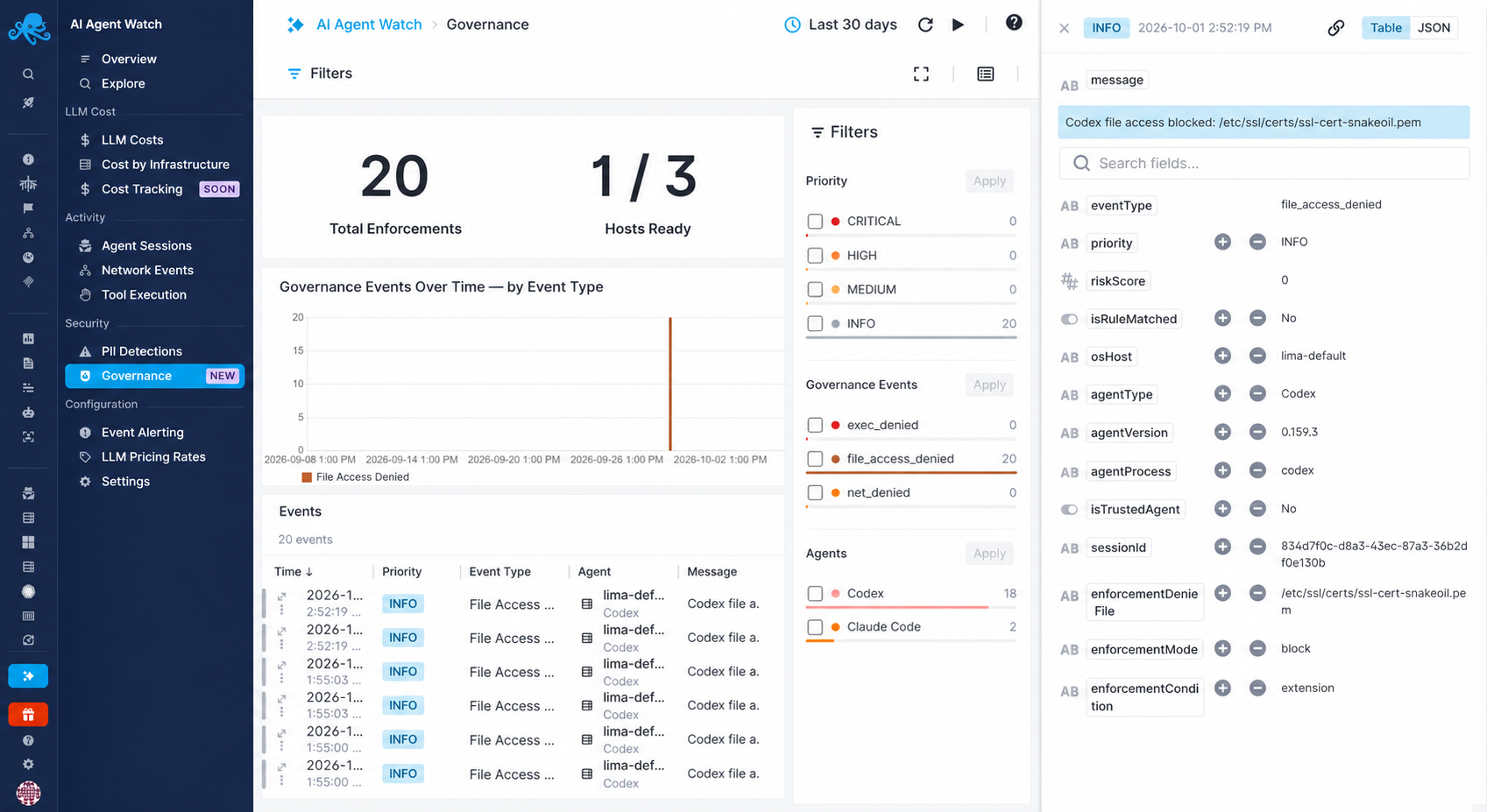
The report contains three event types:
| Event type | What it records |
|---|---|
exec_denied |
Enforcement triggered by a binary or command-argument match. |
file_access_denied |
Enforcement triggered by a file path or extension match. |
net_denied |
Enforcement triggered by an IP, port, CIDR, or destination-host match. |
Sematext Agent sends a governance event when a policy blocks an operation. The event records the matched condition and, depending on its type, the binary, file, or destination IP and port.
Governance events differ from exec_failed and file_open_failed, which report denials caused by existing operating system permissions or security policies. See Captured Events for the other event types.