Overview
Service Monitoring automatically discovers services, network connections, and HTTP API endpoints without code instrumentation. Install Sematext Agent to see service dependencies, request volume, error rates, and latency from observed traffic. Unlike OpenTelemetry tracing, which requires application instrumentation to capture request spans, Service Monitoring gives you this visibility without changing your application code.
Why use it
- Find dependencies. Network Map shows observed connections between services, hosts, and Kubernetes workloads.
- Find slow or failing endpoints. API Radar shows request volume, server errors, and response-time percentiles by endpoint.
- Get alerted about API issues. Use API Radar alert rules for elevated server errors, slow responses, upcoming certificate expiry, and missing Authorization headers. Configure notification recipients to receive alerts identifying the affected service and endpoint.
- Discover services and API endpoints automatically. Install Sematext Agent on your hosts to discover services, network connections, and API endpoints as traffic is observed, without configuring each service or endpoint separately.
- Review transport security. Inspect observed HTTPS usage and discovered certificate validity.
- Move between API and network context. Open an endpoint's network context or inspect a service from either feature.
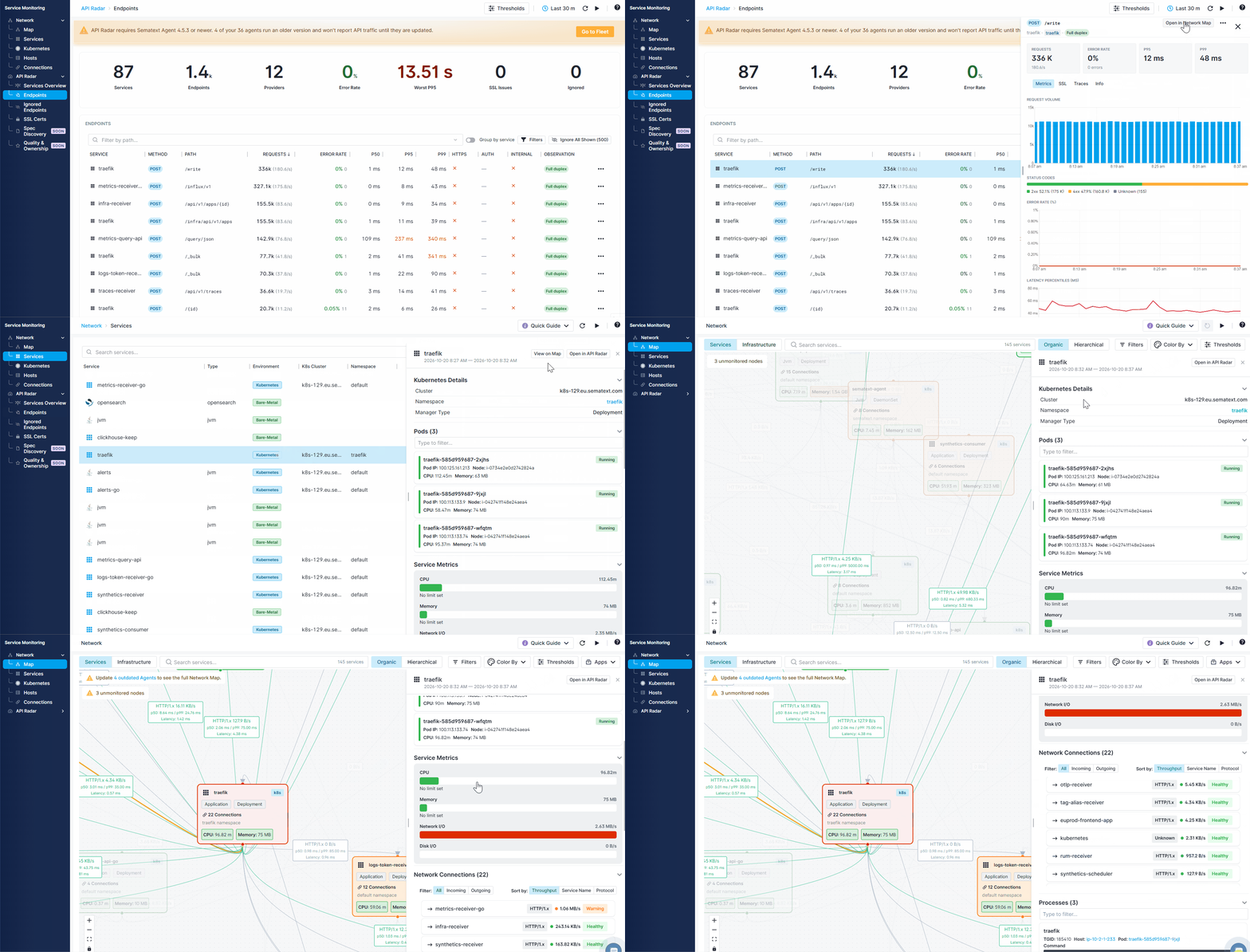
Network
Open Service Monitoring → Network. The Map has Services and Infrastructure views. Services, Kubernetes, Hosts, and Connections provide tabular views of the discovered topology.
See Network Map for topology, filtering, thresholds, and supported service types.
API Radar
Open Service Monitoring → API Radar. Start with Services Overview, inspect individual Endpoints, manage Ignored Endpoints, or review SSL Certs.
See API Radar for endpoint metrics and investigation workflows.
From discovery to investigation
- Discover services and endpoints. Install Sematext Agent to discover network connections and HTTP API endpoints automatically, without code instrumentation.
- Find the affected endpoint. Use API Radar to identify high error rates or slow responses, then inspect the endpoint's metrics and network dependencies to narrow down the problem.
- Investigate inside the application. For deeper analysis, instrument the affected service with OpenTelemetry and send its traces to Sematext. Follow individual requests through the application to identify operations contributing to errors or delays.
Start with automatically discovered API and network data, then add tracing to the services that need deeper investigation.
When a service is slow or failing, assess its potential blast radius by identifying the services that depend on it and checking them for related problems.
Getting started
See Getting Started for requirements and verification. Network and API Radar have different minimum Sematext Agent versions; a host reporting topology does not necessarily report API traffic.