Services Overview
Open Service Monitoring → API Radar → Services Overview for a summary of observed API activity in the selected time range.
Summary
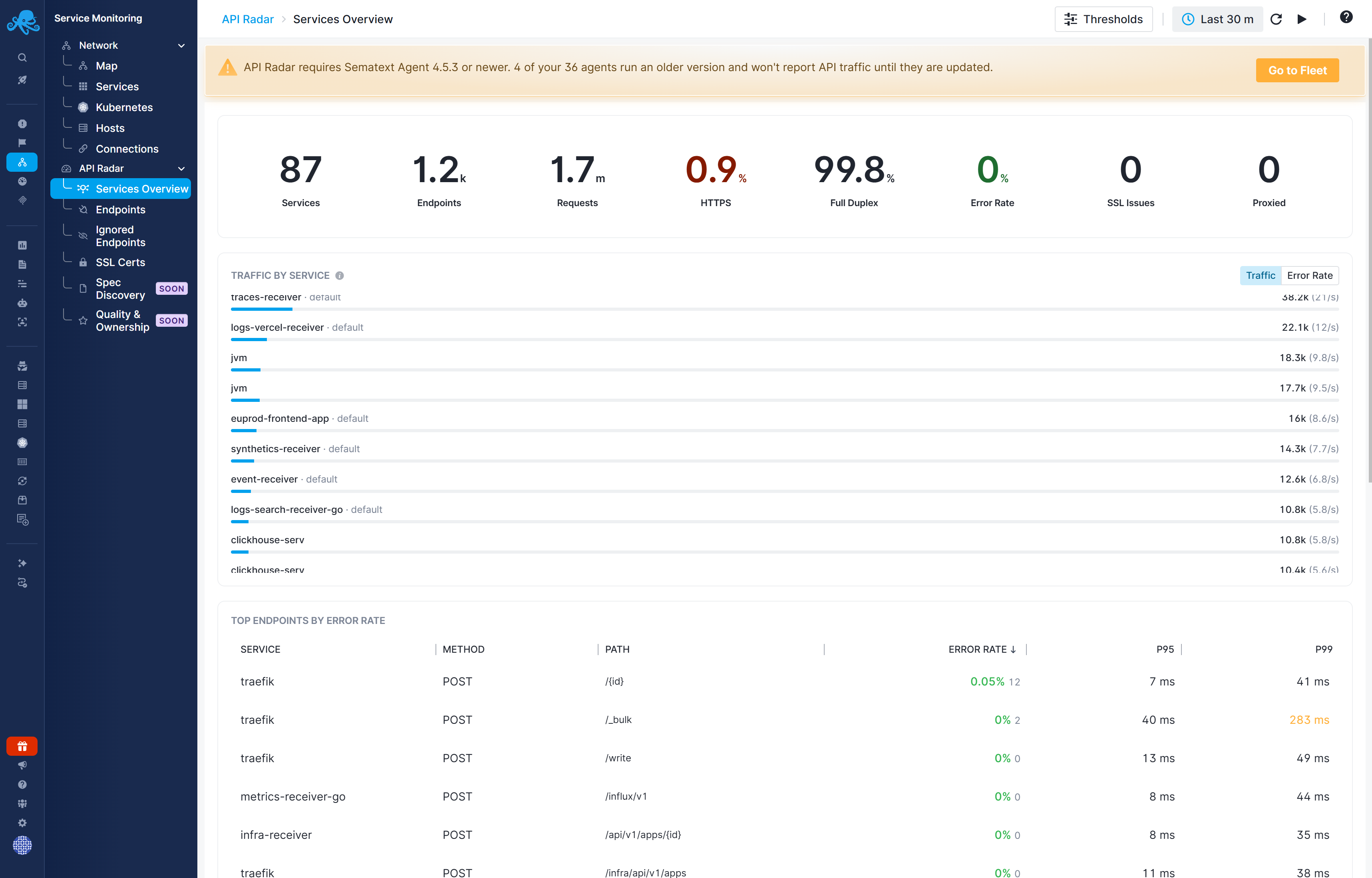
The summary includes Services, Endpoints, Requests, HTTPS, Full Duplex, Error Rate, SSL Issues, and Proxied. Full Duplex shows the percentage of traffic for which both requests and responses were observed, allowing API Radar to show response status codes, error rates, and latency. With Egress Only, only outgoing requests are observed: request activity is visible, but response status codes, error rates, and latency are unavailable.
Traffic by Service
The service chart shows which services account for observed request traffic. Switch between Traffic and Error Rate to compare volume with server errors. A busy service is not necessarily the service with the highest error rate. Services with lower traffic can still have a high proportion of failing requests, so switch to Error Rate to find issues that may be less prominent in the Traffic view.
Top Endpoints by Error Rate
The endpoint table identifies the service, HTTP method, and path, with error rate and latency percentiles. Use it to find failing operations. Click the service row to open the corresponding endpoint details and inspect its status-code and latency breakdown.
See Endpoints for metric definitions and observation limits.