Endpoints
Open Service Monitoring → API Radar → Endpoints to browse observed API operations. Each row identifies a service, HTTP method, and path.
Read the endpoint table
| Field | Meaning |
|---|---|
| Service, Method, Path | The service and API operation represented by the row. |
| Requests | Observed request count and request rate in the selected range. |
| Error Rate | Server error percentage, shown alongside the observed 5xx count when available. Inspect status codes separately for 4xx responses. |
| p50, p95, p99 | Response-time percentiles. p95 is the value at or below which 95% of measured response times fall. |
| HTTPS | Whether HTTPS was observed for the endpoint. |
| Auth | Whether an authentication header was observed; this is not a test of authentication enforcement. |
| Internal | A manually applied classification used to exclude endpoints from alert rules. |
| Observation | Whether both requests and responses, or only outbound requests, were observed. |
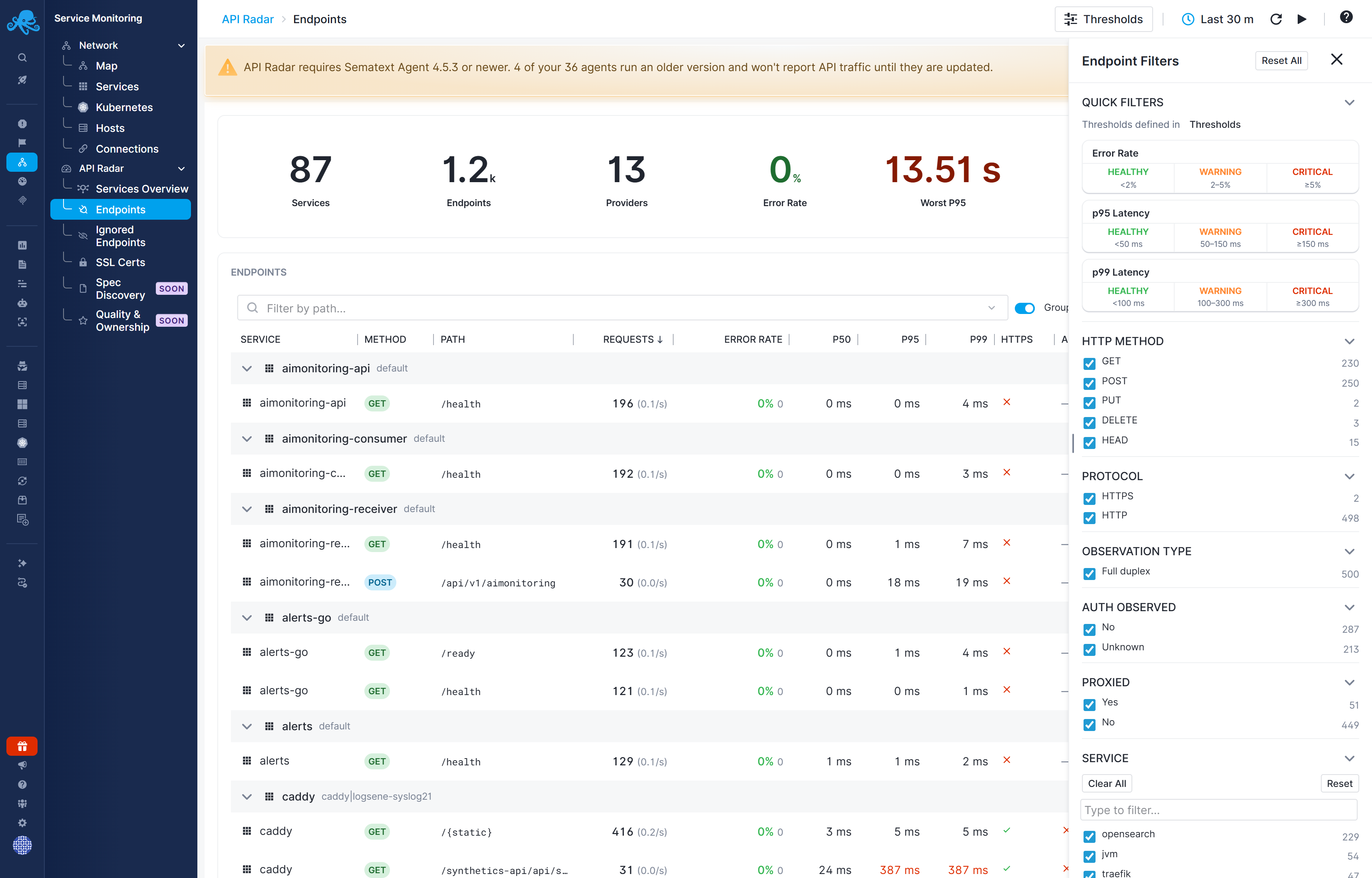
Filter and group
Use Filter by path to narrow the list and Group by service to organize operations under their service. Open Filters for facets such as observation status, HTTPS, observed authentication, and service or provider. Metric quick filters use the configured thresholds.
Use column sorting to find high-volume, slow, or failing operations.
Observation coverage
- Full Duplex - both request and response activity were observed.
- Egress Only - request activity was observed without the corresponding response.
Missing responses limit status-code, error-rate, and response-time information. Do not interpret missing measurements as zero errors or zero latency. Proxied indicates traffic observed through a proxy; check the provider and network context when interpreting the service association.
Endpoint details
Select a row to open its details panel. The summary shows requests, error rate, p95, and p99.
- Metrics - request-volume timeline, response status distribution, error-rate timeline, and latency percentiles.
- SSL - available certificate details for the endpoint's observed TLS traffic.
- Traces - related tracing context where available. API Radar observation does not by itself create distributed traces.
- Info - service and provider identity, host or Kubernetes context, observation status, discovery times, and available TCP health information.
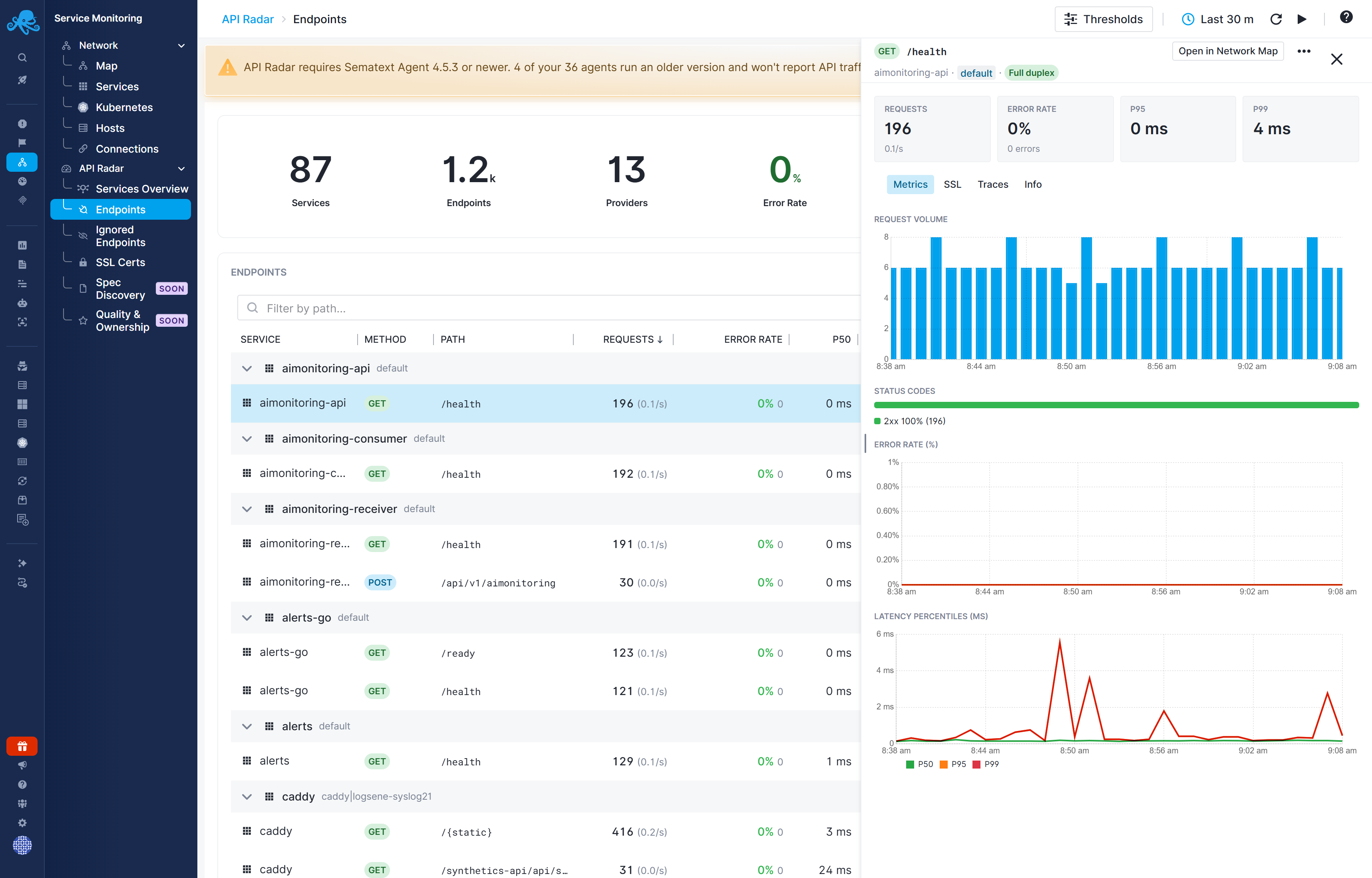
Use Open in Network Map to inspect the associated network context. See Service Details for navigation between the features.
Endpoint actions
Use the row menu to Ignore Endpoint, Unignore Endpoint, Mark as Internal, or Unmark Internal.
- Ignored endpoints are excluded from the main reports, charts, and alert rule evaluation. Use this for health-check endpoints such as
/healthand/healthz, readiness-probe endpoints such as/ready, and other endpoints whose traffic would add noise to your reports. Unignore an endpoint to include it again. - Internal endpoints remain visible in reports. Mark them manually so you can exclude them from alert rules by selecting Exclude Internal when defining a rule. Marking an endpoint as Internal does not exclude it from rules unless that option is selected.
Internal endpoints
Mark an endpoint as Internal when you want to classify it as intended for communication between your own services and exclude it from relevant alert rules. This classification is always applied manually; API Radar does not automatically mark endpoints as internal based on their address or observed traffic.
In the Endpoints table, open the endpoint's row menu and select Mark as Internal. Use Unmark Internal to remove the classification.
Alert rules with Exclude Internal selected skip endpoints marked as Internal. All default API Radar alert rules use this exclusion. Marking an endpoint as Internal does not exclude it from a rule that has this option turned off.